
Introduction
Obtaining a passport is a crucial step for international travel, and a compliant photo is a vital part of the application. However, standard passport photo requirements can present unique challenges for individuals with disabilities, medical conditions, religious practices, or other special circumstances. This guide provides comprehensive information and practical solutions for capturing compliant passport photos that meet diverse needs, ensuring a smooth and successful application process for everyone. Updated for 2026-2027, this guide includes tips on leveraging AI-powered tools, like AI Passport Photo, to simplify the process and ensure guaranteed compliance.
Understanding Standard Passport Photo Requirements
Before diving into specific circumstances, it's essential to understand the standard US passport photo requirements. These include:
- Size: 2x2 inches (51x51 mm).
- Color: Must be in color, not black and white.
- Background: Plain white or off-white.
- Recency: Taken within the last six months.
- Expression: Neutral facial expression with both eyes open. See our article on whether it's okay to smile in a passport photo.
- Attire: Normal street attire, no uniforms (except for religious clothing).
- Head Size: The head should measure between 1 inch and 1 3/8 inches from the bottom of the chin to the top of the head.
- Full Face View: Directly facing the camera.
Medical Conditions and Passport Photos
Navigating passport photo requirements with a medical condition requires understanding specific guidelines and potential accommodations. For example, see our guide addressing what are the requirements for hair on passport photos in the United States?
Head Coverings for Medical Reasons
If you wear a head covering due to a medical condition (e.g., hair loss from chemotherapy), it is generally acceptable. However, you must provide a signed statement from a licensed medical professional explaining the necessity of the head covering. The head covering should be plain and should not obscure your face.
Assistive Devices
Medical devices such as hearing aids or cochlear implants are allowed in the photo. Ensure that the devices do not obscure your facial features and that there is no glare on any part of the device.
Eyeglasses
As of November 1, 2016, eyeglasses are generally not allowed in passport photos. However, if you cannot remove your glasses for medical reasons, you must submit a signed statement from a medical professional. The glasses must not obscure your eyes, and there should be no glare on the lenses. Visit the US Department of State website for more information.
Accommodating Disabilities
Individuals with disabilities may require certain accommodations to ensure a compliant passport photo.
Physical Limitations
If you have physical limitations that make it difficult to position yourself for the photo, seek assistance from a caregiver or use props to support yourself. The focus should remain on capturing a clear, full face view.
Visual Impairments
For individuals with visual impairments, ensure that your eyes are open and visible in the photo. If needed, a caregiver can assist in positioning you, but they must not be visible in the photo.
Religious and Cultural Considerations
Passport photos can accommodate religious and cultural practices, provided they adhere to specific guidelines. It's important to also adhere to general guidance such as looking your best for your U.S. Passport Photo What to Wear.
Head Coverings for Religious Purposes
If you wear a head covering daily for religious reasons (e.g., hijab, turban), it is allowed in the photo. However, the head covering must not obscure your face, and it should not cast shadows. The full face, from the forehead to the chin, must be visible.
Traditional Attire
Traditional attire is generally acceptable, but it must not obscure any part of your face or head. Ensure that the clothing is neat and does not blend in with the background.
Infant Passport Photos
Taking a compliant passport photo of an infant can be challenging, but it is essential for international travel. Our app can provide guidance on Does my 1 year old need a passport?
Tips for Infant Photos
- Positioning: Lay the baby on a plain white or off-white sheet. Ensure there are no shadows on the baby's face.
- Eye Visibility: It is acceptable if a newborn's eyes are not entirely open, but try to capture the photo when the eyes are at least partially open.
- No Assistance: No other person should be visible in the photo. If you need to support the baby, ensure your hands are not in the shot.
Acceptable Assistance
While no other person should be visible, a parent or caregiver can support the baby from behind the sheet, ensuring their hands are not in the photo. Consider using an AI tool to remove any slight shadows or distractions.
Addressing Appearance Changes
Significant appearance changes can raise questions about whether a new passport photo is necessary. Remember that gray hair is acceptable as defined in our article: Altering My Passport Photo: From Gray Hair to a New Look.
Changes Due to Aging or Weight Fluctuation
If you have undergone significant appearance changes due to aging or weight fluctuation, it is generally recommended to update your passport photo. The photo should accurately reflect your current appearance.
Cosmetic Procedures
If you have had cosmetic procedures or gender transition, it is advisable to obtain a new passport photo to reflect your current appearance.
Leveraging AI Tools for Guaranteed Compliance
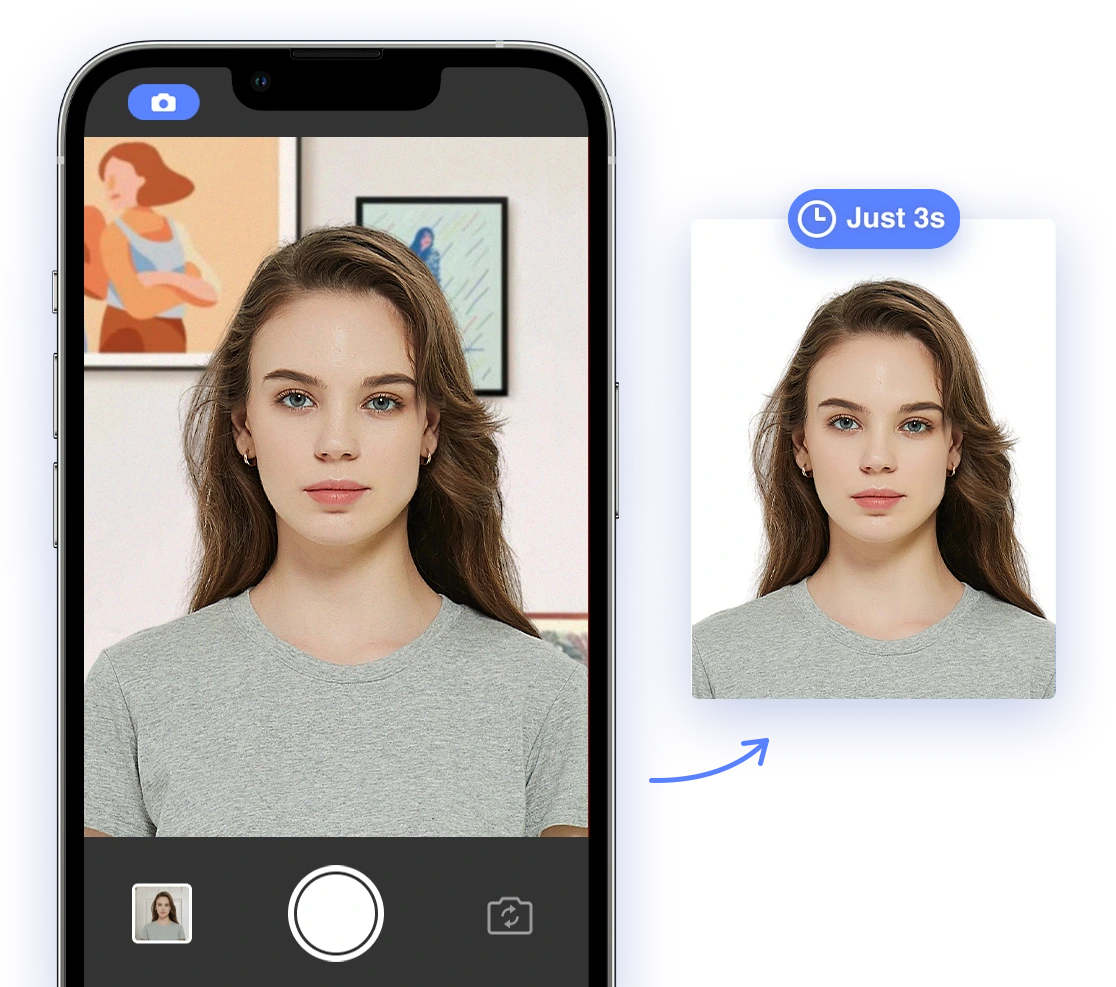
AI-powered passport photo tools, like AI Passport Photo, can assist in ensuring compliance with specific requirements. These tools can automatically adjust lighting, crop the image, and remove backgrounds to meet official standards.
Features of AI Passport Photo
- Automatic Cropping: Ensures the photo meets the required dimensions. See our article on Passport Photo Size in the U.S.
- Background Removal: Replaces the background with a plain white or off-white color.
- Lighting Adjustment: Corrects lighting issues and removes shadows.
- Compliance Check: Verifies that the photo meets all official requirements.
DIY Tips and Tricks
Taking passport photos at home can be cost-effective and convenient. Here are some tips:
- Set Up the Background: Use a plain white or off-white sheet or wall as the background.
- Use Natural Light: Position yourself near a window to capture natural light, but avoid direct sunlight.
- Avoid Shadows: Ensure there are no shadows on your face or in the background.
- Use a Tripod: If possible, use a tripod to stabilize the camera or smartphone.
- Take Multiple Shots: Take several photos and choose the best one that meets all requirements.
Troubleshooting Rejections
Despite best efforts, passport photos may still be rejected. Here are common reasons and how to address them:
- Poor Lighting: Retake the photo with better lighting, ensuring no shadows on the face. You can also review our article on Are Dark Eyes Acceptable in Passport Photos?
- Incorrect Background: Use an AI tool to replace the background with a plain white or off-white color.
- Non-Compliant Attire: Change your attire to meet the official requirements.
- Facial Obscuration: Ensure your face is fully visible and not obscured by hair, head coverings, or other items.
Conclusion
Navigating passport photo requirements with unique circumstances can be challenging, but with the right information and tools, a smooth and successful application is achievable. By understanding the specific guidelines, leveraging AI-powered solutions, and following practical tips, you can ensure your passport photo meets all requirements and accurately represents your individual needs. Stay up-to-date with the latest regulations and updates from the US Department of State to avoid any surprises. This guide is updated through 2027.