
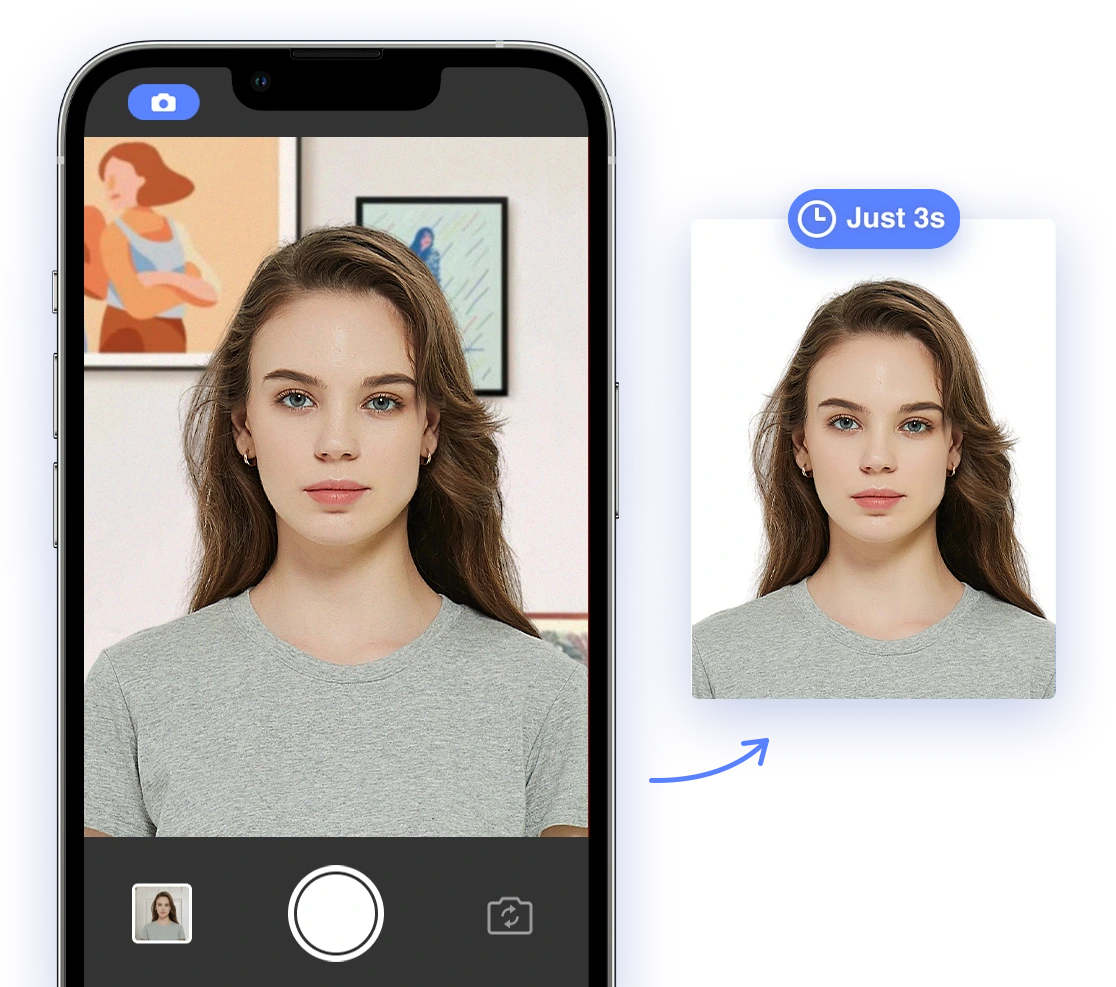
Beyond the Basics: Uncommon Passport Photo Problems and AI-Powered Solutions [2024-2025]
Applying for a passport or visa can be a daunting task, and a rejected photo only adds to the stress. While most applicants are aware of basic requirements like size and background color, many frequently overlooked issues can lead to unexpected rejections. This article delves into these less common reasons for passport photo rejections and offers practical solutions, highlighting how AI Passport Photo can simplify compliance and save you time and frustration.
Decoding the Official Requirements: A Quick Recap
Before we dive into the uncommon issues, let's quickly recap the standard passport photo requirements, according to the U.S. Department of State:
- Photo Size: 2 x 2 inches (51 x 51 mm).
- Head Size: Head must be between 1 inch and 1 3/8 inches (25-35 mm) from the bottom of the chin to the top of the head.
- Color: Must be in color, not black and white.
- Recency: Taken within the last 6 months to reflect your current appearance.
- Background: Plain white or off-white background.
- Expression: Neutral expression with both eyes open and looking directly at the camera.
- Attire: Clothing that you normally wear.
- No Head Coverings: Hats or head coverings are not allowed unless worn daily for religious purposes (with full face visible).
- No Eyeglasses: Generally, eyeglasses are not allowed.
Now, let's move on to the frequently overlooked reasons why your passport photo might get rejected.
Uncommon Reasons for Passport Photo Rejection
Beyond the basic rules, several less obvious issues can lead to rejection. Being aware of these can significantly increase your chances of approval.
1. Accessories and Attire: What Not to Wear in Your Passport Photo
It's not enough to just wear 'normal clothing.' Specific types of accessories and attire can cause problems:
- Large Jewelry or Facial Piercings: While small, everyday jewelry is generally acceptable, large or distracting pieces can obscure your facial features and lead to rejection. Facial piercings, especially those covering the nose or mouth, can also be problematic.
- Catching-the-Eye Hair Accessories: While you might love that sparkly hair clip, bows and headbands can also cause rejections if they're too distracting or obscure your hairline.
- Inappropriate Clothing: While uniforms are a no-go, even seemingly harmless clothing can cause issues. Patterns that are too busy can be distracting, and clothes that are too similar in color to the background can make it difficult to distinguish your outline.
- High-Neck Clothes: Avoid turtlenecks or clothes with high collars that can cast shadows on your face.
- Sparkly Clothes: Clothes with too many sparkles may reflect light into the camera.
2. Appearance: The Devil is in the Details When Taking Your Passport Photo
While you want to look your best, it's essential to avoid alterations that make you appear different from your usual self:
- Changes in Skin Tone: Significant changes to your natural skin tone due to excessive tanning or makeup can raise red flags.
- Excessive Retouching: The goal is to present your true likeness, not a digitally enhanced version. Overdoing retouching can obscure natural features and lead to rejection.
- Extravagant Makeup: While everyday makeup is fine, 'night-out glam' or heavy contouring can distort your facial features.
- False Eyelashes: These can change the appearance of your eyes and may not be allowed. Check the specific guidelines of the country for which you are applying.
- Glossy Products: Avoid using too many shiny products that produce glare.
- Heavy Contouring: Contour that changes your facial features too much may cause issues.
3. Photo Quality and Lighting: Avoiding the Technical Pitfalls in Your Passport Photo
Even if your pose and appearance are perfect, poor photo quality can ruin your chances:
- Poor Quality Paper: Using the wrong type of paper (too thin, not photo-quality) is a common mistake. Always use matte or glossy photo paper designed for printing photos.
- Damaged Photo: Ensure your photo is free from smudges, holes, tears, or creases.
- Uneven Lighting: Lighting is crucial. Harsh shadows on your face or background can cause rejection. Aim for soft, even lighting.
See some common lighting issues and how to avoid them: Why my passport photo was rejected: Exposure
4. Facial Expression and Pose: It's More Than Just Smiling in Your Passport Photo
- Squinting: Ensure your eyes are fully open and not squinting.
- Tilted Head: Keep your head straight and aligned with the camera. A tilted head can distort your facial features.
- Eyes Looking Away From the Camera: Your eyes should be directed at the camera lens, not looking to the side or down.
- Off-Center Face: Make sure your face is centered in the frame and not too far to one side.
- Red-Eye Effect: While somewhat avoidable with modern cameras, red-eye can still occur. Use a red-eye reduction setting or edit it out carefully.
5. Eyewear Issues: Seeing Clearly for Your Passport Photo
While eyeglasses are generally discouraged, there are specific problems to avoid if they are medically necessary:
- Reflections in Your Glasses: This is a very common issue. Ensure there are no reflections obscuring your eyes.
- Transition (Photochromatic) Glasses: These glasses darken in sunlight, which is unacceptable. Ensure they are in their clear state.
- Colored Lenses: Glasses with colored lenses are not allowed.
- Glare from Eye Prescription Lenses: Certain lenses might reflect or give glare.
To see these errors in practice, watch this video: 10 Passport Photo Mistakes That Will Get You Rejected (And How to Fix Them) #passportphoto
6. Children's Passport Photos: A Unique Challenge
Taking passport photos of babies and young children presents unique challenges:
- Holding an Object: The child must be the only subject in the photo. Remove any toys, pacifiers, or supporting hands.
DIY Troubleshooting Guide: Solving the Uncommon Passport Photo Problems
So, you've identified a potential problem. What now? Here's a step-by-step guide to troubleshooting:
- Assess the Photo: Carefully examine your passport photo for any of the issues mentioned above. Use a checklist to ensure you haven't missed anything.
- Lighting Adjustments: If shadows are a problem, try taking the photo in a room with more even, natural light. Avoid direct sunlight, which can cause harsh shadows.
- Re-evaluate Attire and Accessories: Choose clothing that contrasts with the background and remove any distracting jewelry or hair accessories.
- Adjust Your Pose: Practice maintaining a neutral expression with your head straight and eyes looking directly at the camera.
- Address Eyewear Issues: If possible, remove your glasses. If not, ensure they are clean and free of reflections. Adjust the lighting or angle to minimize glare.
- Use AI-Powered Tools: For issues like background correction, head size adjustment, and red-eye removal, AI Passport Photo can be a lifesaver.
- Review and Retake: After making adjustments, take a new photo and compare it to the requirements. Repeat the process until you're confident that it meets all standards.
AI Passport Photo as a Solution: Simplifying Compliance
AI Passport Photo is designed to address many of these uncommon rejection reasons automatically:
- Background Correction: The tool can automatically detect and replace non-compliant backgrounds, ensuring a plain white or off-white backdrop.
- Lighting Adjustment: AI algorithms can enhance lighting, removing shadows and ensuring even illumination.
- Automatic Head Sizing and Positioning: AI accurately detects your face and adjusts the head size and position to meet the strict requirements.
- Attire Check: While not foolproof, AI can sometimes detect inappropriate attire or accessories and provide a warning.
- Ensuring Facial Features Are Unobstructed: AI can check for obstructions like hair or glasses glare, ensuring your facial features are clearly visible.
By automating these checks, AI Passport Photo significantly reduces the risk of rejection due to these less obvious issues.
Tips for Capturing Compliant Passport Photos in Challenging Situations
Some situations require extra attention:
- Babies: Take the passport photo when the baby is calm and well-rested. Lay the baby on a plain white sheet and take the photo from above, ensuring the baby's eyes are open.
- Individuals with Disabilities: Make necessary accommodations to ensure the individual is comfortable and able to meet the pose and expression requirements. If a medical device is necessary, ensure it doesn't obstruct the face.
- Medical or Religious Needs: If head coverings are required for medical or religious reasons, ensure the full face is visible and the covering doesn't cast shadows. Provide documentation if necessary.
Making Permissible Digital Adjustments to Your Passport Photo
Once you have taken your passport photo, it's permissible to make some digital adjustments to enhance the quality of the photo. However, it's important to note that you are not allowed to alter your facial features. See a more complete discussion of what changes are allowed here.
These adjustments are permissible:
- Brightness
- Contrast
- Color Correction
- Sharpening
Conclusion
Obtaining a compliant passport photo doesn't have to be a stressful experience. By being aware of these uncommon rejection reasons and following the troubleshooting tips outlined in this article, you can significantly increase your chances of approval. And for even greater peace of mind, consider using AI Passport Photo to automate the process and ensure your passport photo meets all official requirements.
Ready to get started? Visit AI Passport Photo today and take the stress out of your next passport application!